Is sorting a lab CSV by highest gas concentration enough to rank DGA reviews?
No. Each row needs a stable asset ID, sampling date, fluid and the original qualifiers, because blank, zero and below-limit results are different states and a missing gas is a review exception, not evidence of low risk. The priority should keep its reason, such as the IEEE C57.104-2019 status or a confirmation-sample trigger, and DGA order remains narrower than asset risk, which also depends on spares, critical service and protection events.
A laboratory CSV may contain several samples per transformer, inconsistent asset names and results reported below a detection limit. Sorting its largest gas concentrations is not enough to decide which records need engineering review first. The result must retain the identity, date, applicable method and reason for each priority.
DGA triage is also narrower than asset risk. It does not know which unit has no spare, supplies a critical process or has an unresolved protection event. Those facts can change an engineer's review order even when the DGA ranking is calculated correctly.
On this page (6 sections)
Establish What Each Row Represents
Use a stable Asset ID, sampling date and gas concentrations with their original qualifiers. The Fleet DGA Triage template includes H2, CH4, C2H6, C2H4, C2H2, CO, CO2, O2 and N2, plus construction year, communicating-OLTC status, fluid and solid-insulation information. Enter gas concentrations in µL/L (ppm), as in the template. Leaving age unknown is preferable to inventing a construction year.
Check what was actually accepted, not only whether the file opened. A duplicate Asset ID and date replaces the earlier same-date row, with a warning that names both rows. A later file with the same Asset ID and date also updates the sample already in the session. Two samples taken on the same day are therefore not necessarily retained as two observations. Reconcile genuine duplicates, repeat analyses and corrections before import, and keep the original laboratory files.
For example, repeat DEMO-A below with the same date but change C2H4 from 150 to 5 ppm in the second row. The import warning identifies the replacement; only the later row remains and the result becomes Status 1, Low. The tool has not established an improving trend. It has replaced one record. That distinction matters when a corrected report and a genuine repeat sample arrive together.
The tool accepts CSV, not an Excel workbook. Blank, zero and "<0.5" are different states. A missing gas makes an assessment unavailable, and an unrecognised fluid name is not assessed. A blank fluid cell is assessed with the mineral-oil methods and flagged "Insulating liquid not declared": enter the fluid for every ester-filled or silicone-filled unit. A missing O2/N2 ratio can trigger a flagged fallback. These are review exceptions, not evidence of low risk.
How the Tool Orders Records
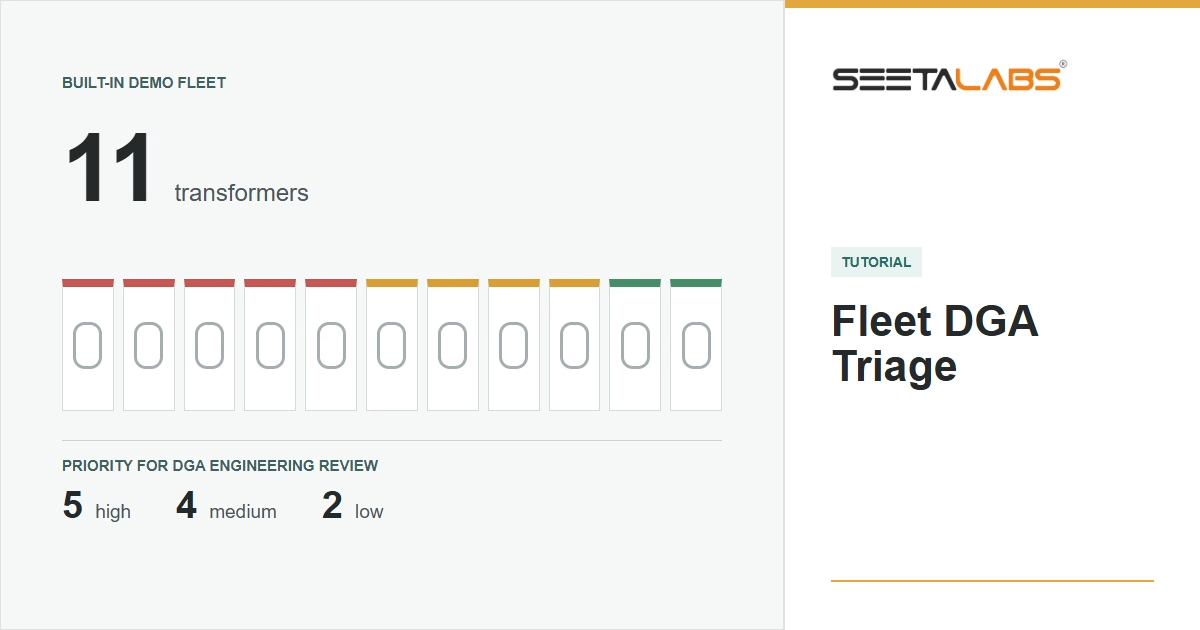
For its mineral-oil assessment, Seetalabs® Fleet DGA Triage version 1.5.5 (October 2026) maps IEEE Status 3 to High. It maps Status 2, a confirmation-sample trigger, or an applicable IEC above-typical/active category to Medium. If an applicable assessment has none of these triggers, it returns Low. If neither assessment is applicable, it returns Not assessed.
These priority names and their combination are the tool's workflow, not a separate IEEE fleet-risk scale. The public IEEE C57.104-2019 description identifies interpretation, data quality, limitations and operating guidance as its subject. IEC 60599:2022 likewise calls for engineering judgement. Neither public summary validates a particular implementation of every table or clause.
For mineral-oil records with equal priority, the tool compares IEEE status, IEC category, whether reported acetylene is positive, and the largest gas-to-Table-1-reference ratio. Remaining ties use Asset ID. This ordering is reproducible, but a ratio to a reference is not a probability of failure or an operating margin.
Ester records use a different assessment path. They can receive Medium, Low or Not assessed, but not High. That software ceiling must not be interpreted as a physical limit on the urgency of an ester-transformer fault. Review mixed-fluid results with their method and exceptions visible rather than assuming the colours have identical coverage.
The ester assessment applies IEEE C57.155-2014 and IEC 63585:2026. IEEE lists C57.155-2014 as Inactive-Reserved, with an inactivation date of 27 March 2025. Identify the editions used and check the applicable current framework before relying on ester thresholds.
Three Assets, One Controlled Difference
Consider three synthetic main-tank records, DEMO-A, DEMO-B and DEMO-C, all sampled on 1 September 2026. Use mineral oil, no communicating OLTC, unknown age and the tool's upper IEC reference setting. The review date is 30 September 2026.
All three have H2 10, CH4 5, C2H6 5, C2H2 0, CO 200, CO2 2000, O2 1000 and N2 50000 ppm. Only C2H4 changes: 150 ppm for A, 70 ppm for B and 5 ppm for C. The measured O2/N2 ratio is 1000 / 50000 = 0.02; this selects a calculation branch, not proof of the preservation-system design.
The tool returns these results:
- DEMO-A: Status 3, High.
- DEMO-B: Status 2, Medium.
- DEMO-C: Status 1, Low.
The review order is A, B, C under those inputs. Only ethylene was changed, so its effect is visible without the confounding influence of a second varying gas. Each record still has just one sample: no gas-generation trend has been established. C is lower in this particular DGA queue, not declared healthy.
The complete input is small enough to inspect directly:
Asset ID;date;H2;CH4;C2H6;C2H4;C2H2;CO;CO2;O2;N2;year_built;oltc_communicating;fluid;insulation
DEMO-A;2026-09-01;10;5;5;150;0;200;2000;1000;50000;;no;mineral;cellulose
DEMO-B;2026-09-01;10;5;5;70;0;200;2000;1000;50000;;no;mineral;cellulose
DEMO-C;2026-09-01;10;5;5;5;0;200;2000;1000;50000;;no;mineral;cellulose
Use a separate, empty session for this synthetic example, with the upper IEC reference setting. Existing assets can consume the five available places, and matching IDs can update previous samples. Preserve any working history before starting. The application uses the current date for age-related warnings; the results above were checked with the fixed review date stated here.
Why Status 1 Can Still Require Follow-Up
Take the DEMO-C composition (C2H4 5 ppm) and instead give one asset two samples: H2 10 ppm on 1 September 2025 and 60 ppm on 1 March 2026, with the other concentrations unchanged. The increase is 50 ppm.
For the stated unknown-age and O2/N2 inputs, the tool returns Status 1, sets a confirmation-sample flag and assigns Medium priority. Its IEEE rate assessment is unavailable for this two-point case. Sorting only the displayed status would lose the reason for follow-up. The example illustrates the calculation; it is not a universal rule that a 50 ppm increase means the same thing for every asset and sampling interval.
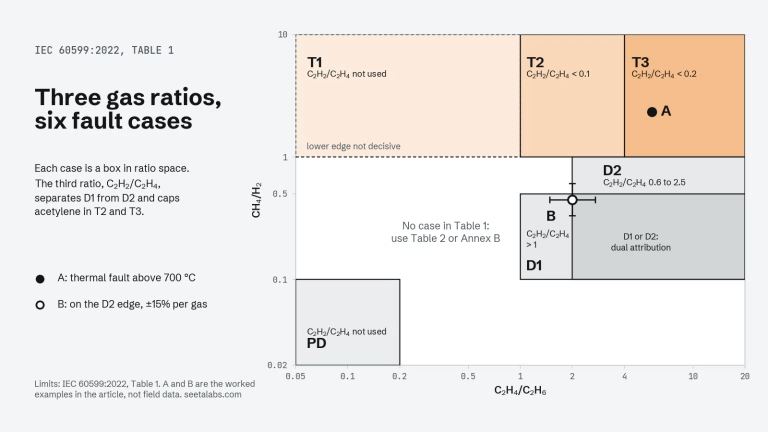
A fault-pattern label answers another question. With H2 60, CH4 90, C2H6 30, C2H4 300 and C2H2 2 ppm, the tool returns Triangle 1 T3 and Pentagon 2 T3-H. Those labels describe the entered pattern; they do not replace the priority trigger or confirm a fault location.
Check Coverage Before Calling It a Fleet Ranking
The free tool limits an imported session to five assets. It keeps assets already in the session first, then additional assets in file order. It does not analyse the complete file and select the five most urgent results. A high-priority asset appearing sixth can be outside the retained set. Before applying an over-limit import, the interface lists the retained and excluded assets for confirmation; cancelling leaves the existing session unchanged. Review that list before interpreting any summary as coverage of the full fleet.
Date warnings need separate attention. The tool flags a latest sample older than 548 days, approximately 18 months. That is an application warning threshold, not a universal sampling interval or permission to wait that long. A stale Low result is not a current condition statement.
The tool can retain dated samples within the session and export a history file; this does not add a trend chart, and there is no automatic history saving. Preserve the export, original reports, import exceptions and settings used for the assessment. The CSV export keeps the Asset ID header and qualified values; that alone is not proof of compatibility with another application's import path.
Turn the Queue into a Review Record
For each asset selected for review, retain the trigger, evidence date, applicable method, missing-data flags and the next question to resolve. For records marked Not assessed, assign a data-resolution task instead of treating their position at the bottom of a list as a low-priority result. Add protection events, asset criticality and operating constraints through the owner's engineering process.
The output is a starting queue for review, not an asset health index, remaining-life estimate or automatic instruction to keep a transformer in service.
Review a defined group of up to five transformers with Fleet DGA Triage. For an ongoing fleet workflow, explore the guided demo of RONIN by Seetalabs.